
Roman numerals in Gesture Synth
The left hand does not choose a fixed note name. It chooses a scale degree from I to VII relative to the key selected in the HUD. Changing the key transposes the same gesture pattern without changing the fingers you use.
Uppercase numerals indicate major context and lowercase numerals indicate minor context. Turn the left wrist to change that context while keeping the same degree gesture.
Left-hand degree map
I through V follow the number of extended fingers. VI and VII use special combinations so all seven degrees remain available without adding a second input mode.

No command
Closed fist. Releases the current chord after a short stabilization delay and acts as a silent rest.

I / i
Index finger. Major mode shows I, minor mode shows i.
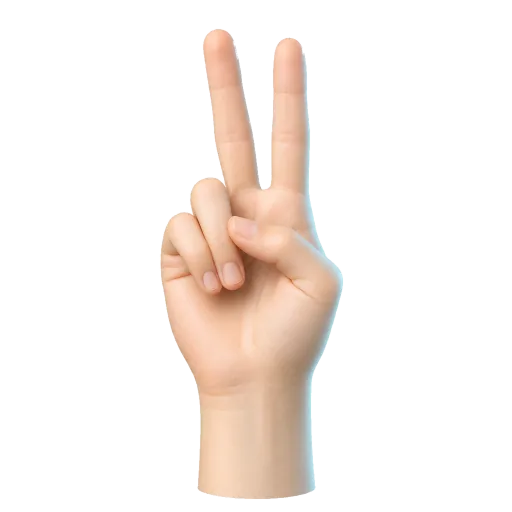
II / ii
Index and middle fingers. Selects the second scale degree.
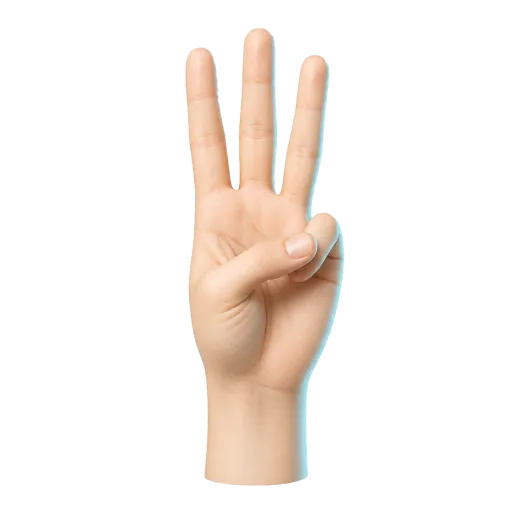
III / iii
Index, middle, and ring fingers. Selects the third scale degree.
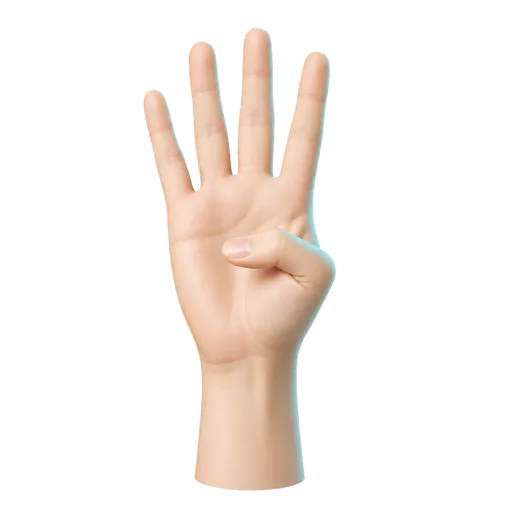
IV / iv
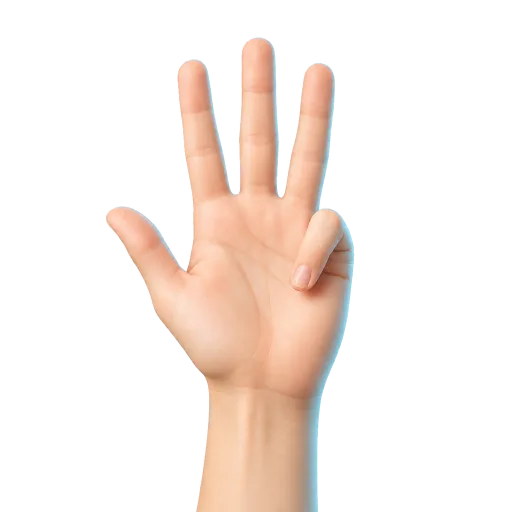
Four raised fingers with the thumb tucked. Selects the fourth scale degree.
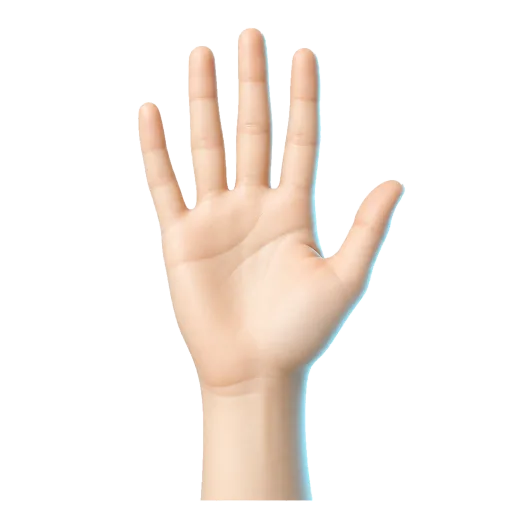
V / v
Five extended fingers. Selects the fifth scale degree.
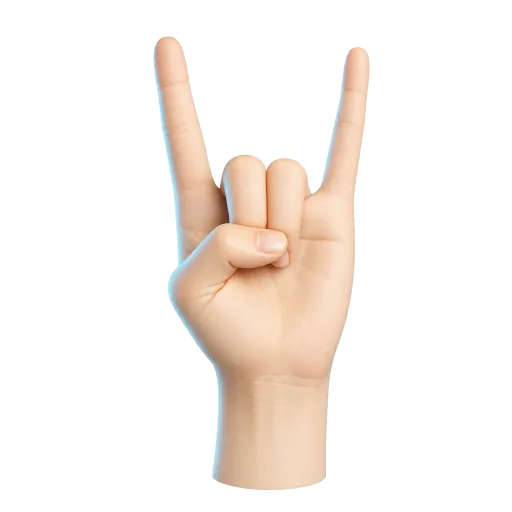
VI / vi
Index and pinky only. This is a special combination, not a finger-count gesture.
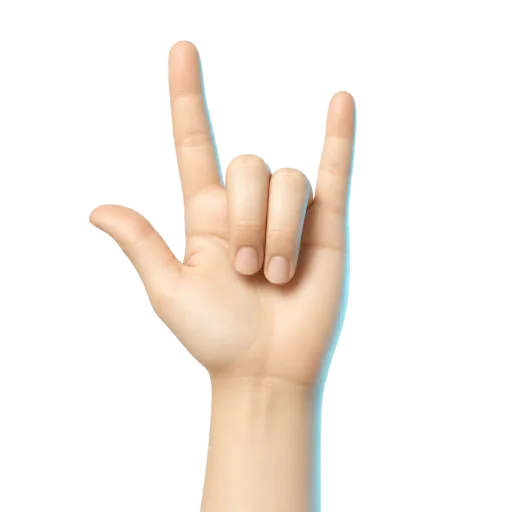
VII / vii
Thumb, index, and pinky. This special combination selects the leading-tone degree.
Right-hand chord quality
The right hand turns the selected degree into a playable voicing. Quality 1 gives the base major or minor shape, Quality 2 uses a first inversion, Quality 3 adds a seventh, and Quality 4 produces dominant or diminished color according to the current mode.
No command
Closed fist. Selects no chord quality and silences the current chord after a short stabilization delay.
Quality 1
One raised finger. Major mode plays Major, minor mode plays Minor.
Quality 2
Two raised fingers. Plays the first inversion version of the current chord.
Quality 3
Three raised fingers. Major mode plays Major 7th, minor mode plays Minor 7th.
Quality 4
Four raised fingers. Major mode plays Dominant 7th, minor mode plays Diminished 7th.
Play one octave lower
Extend the right thumb while holding a quality gesture. The HUD adds (-8ve), and the current chord is played one octave lower.
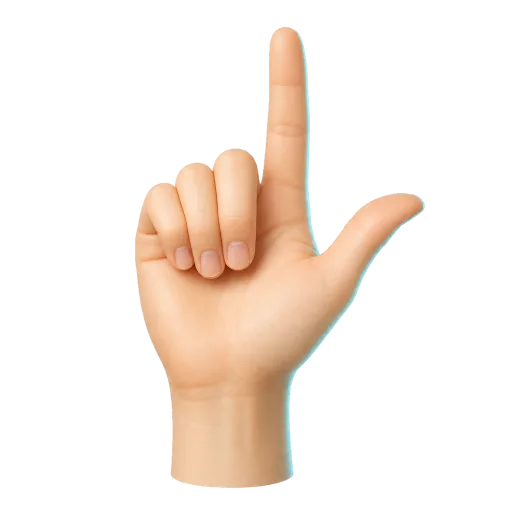
Quality 1 (-8ve)
Thumb plus index finger. Plays the low-octave Major or Minor version.
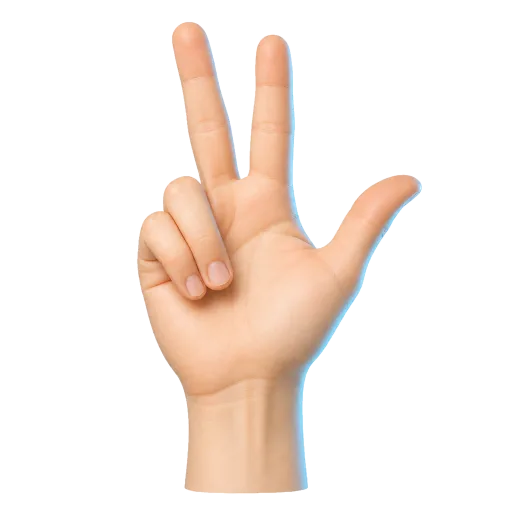
Quality 2 (-8ve)
Thumb, index, and middle fingers. Plays the low-octave first inversion.
Quality 3 (-8ve)
Thumb, index, middle, and ring fingers. Plays the low-octave seventh chord.
Quality 4 (-8ve)
Five extended fingers. Plays the low-octave Dominant or Diminished seventh.
G major gesture map
Select G in the key control. The left-hand degree gestures then use these roots. Your right-hand quality still determines the final inversion or seventh voicing.
Practice I-IV-V-I
Keep one right-hand finger raised for the base quality. In G major, move the left hand through I, IV, V, and I: G, C, D, and back to G. Hold each gesture long enough to hear a stable chord, then use right-hand height to shape the phrase.
Next, repeat the progression with two right-hand fingers to hear the first-inversion variation. Add the thumb only after the degree and quality changes feel reliable.
Camera and setup
Gesture Synth needs both hands in frame to combine degree and quality. For setup, permission, volume, and tracking advice, use the step-by-step Gesture Synth tutorial. Camera video is processed in your browser; read the privacy policy for the exact network and storage boundaries.